Using Rapid Feedback on your phone
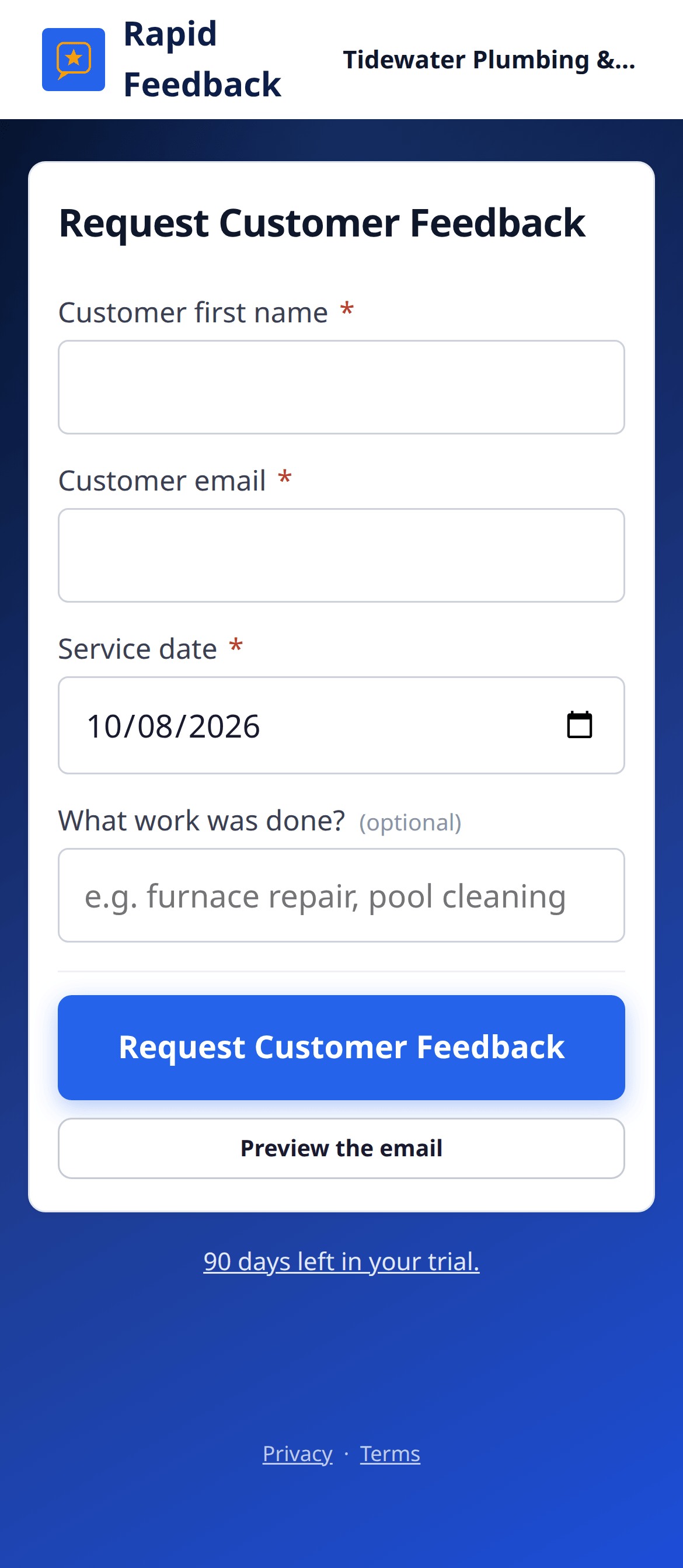
Your Rapid Feedback page works in your phone's web browser. No app to download. Send a request before you pull out of the driveway.
Add your page to your home screen
Then it opens with one tap, just like an app.
- Open your Rapid Feedback page in Safari.
- Tap the Share button (the square with an arrow pointing up).
- Scroll down and tap Add to Home Screen.
- Tap Add.
- Open your Rapid Feedback page in Chrome.
- Tap the ⋮ menu in the top corner.
- Tap Add to Home screen (on some phones, Install app).
- Tap Add.
Tips for sending on the go
- Ask for the email while you're there. "Can I send you a quick two-question check-in?" Most people say yes.
- Type the email carefully. Phone keyboards love to "fix" email addresses.
- The date is already today, so you only need the name and email.
- Set a default description if most of your jobs are the same kind. It fills in for you.
Good to know
Your page address is like a key to your sending page. Share it only with people who send requests for you. If you'd like an extra lock on shared phones or tablets, ask us for a PIN.