Adding a card during your trial
Add a card whenever you like, and keep going without a break. You aren't charged until your trial ends.
- On your sending page, tap the days-left line under the form (or open Settings and choose Billing).
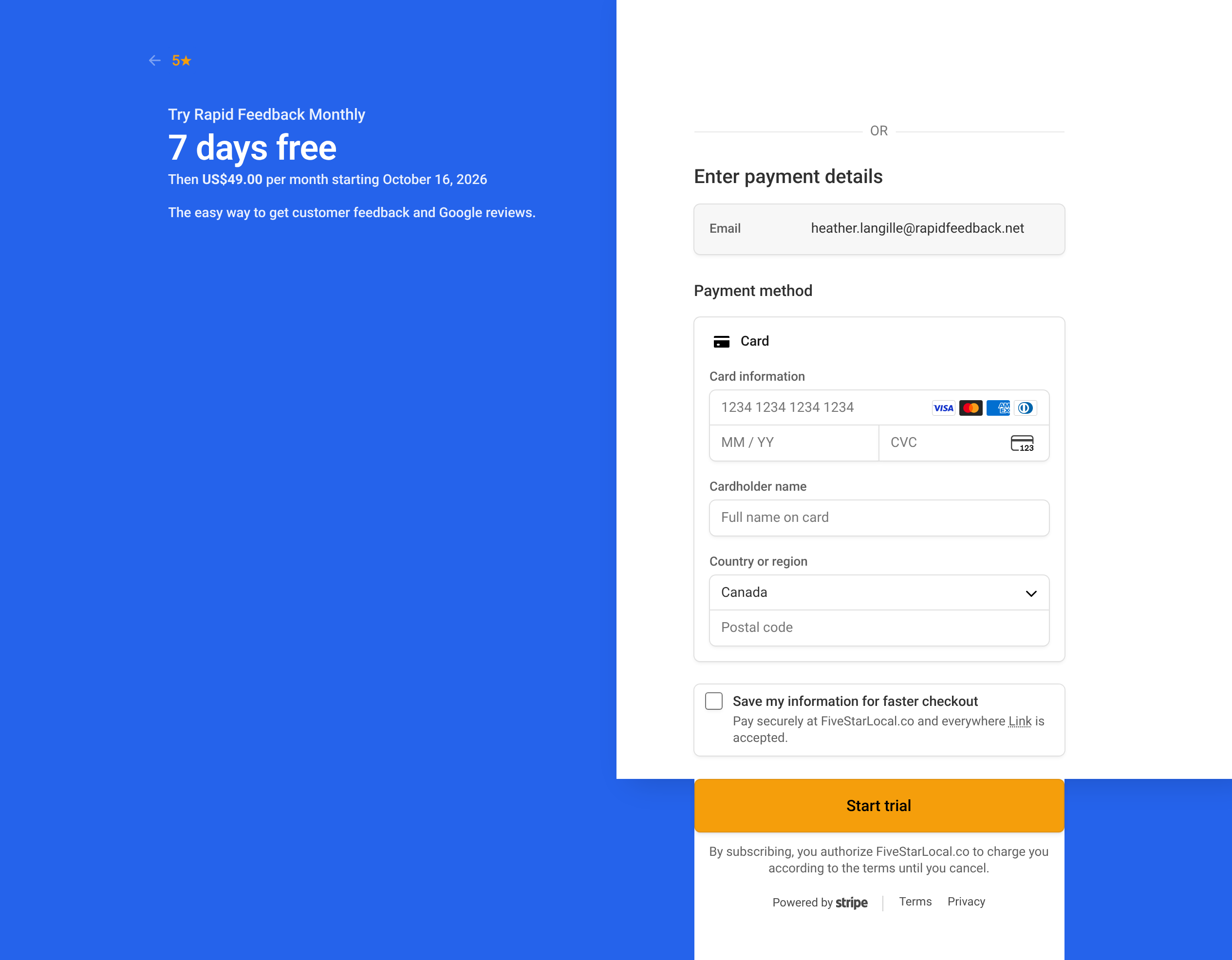
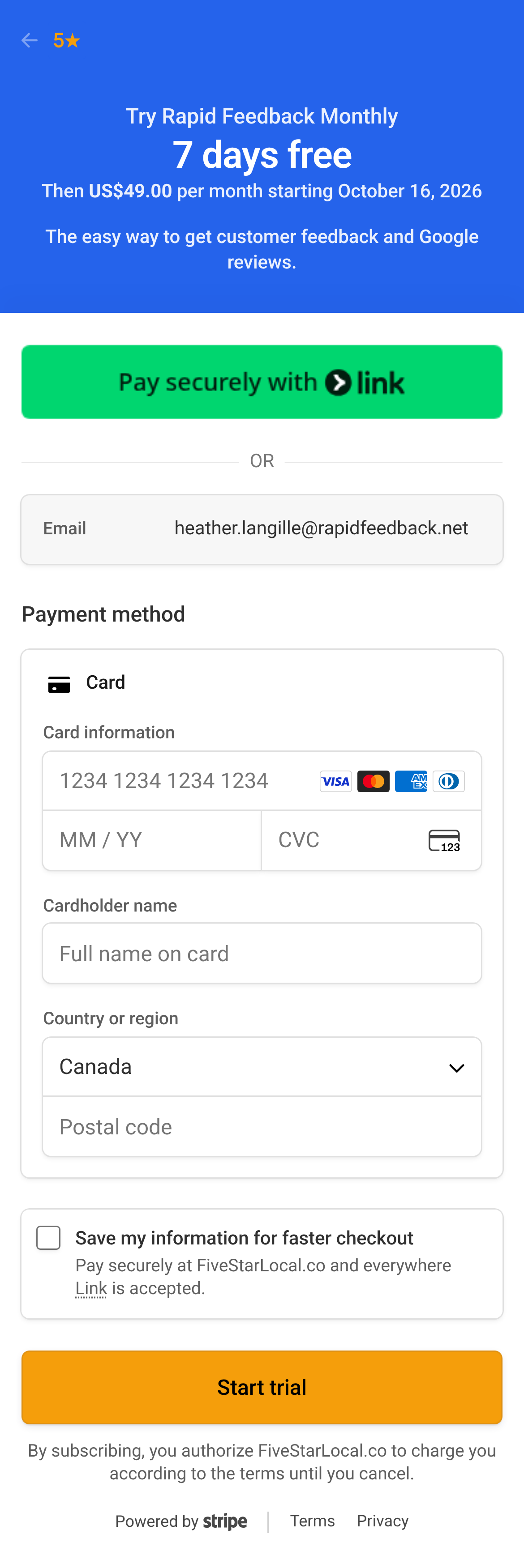
- Press Add a card. Stripe's secure checkout page opens.
- Check the date your first payment is due, then enter your card details.
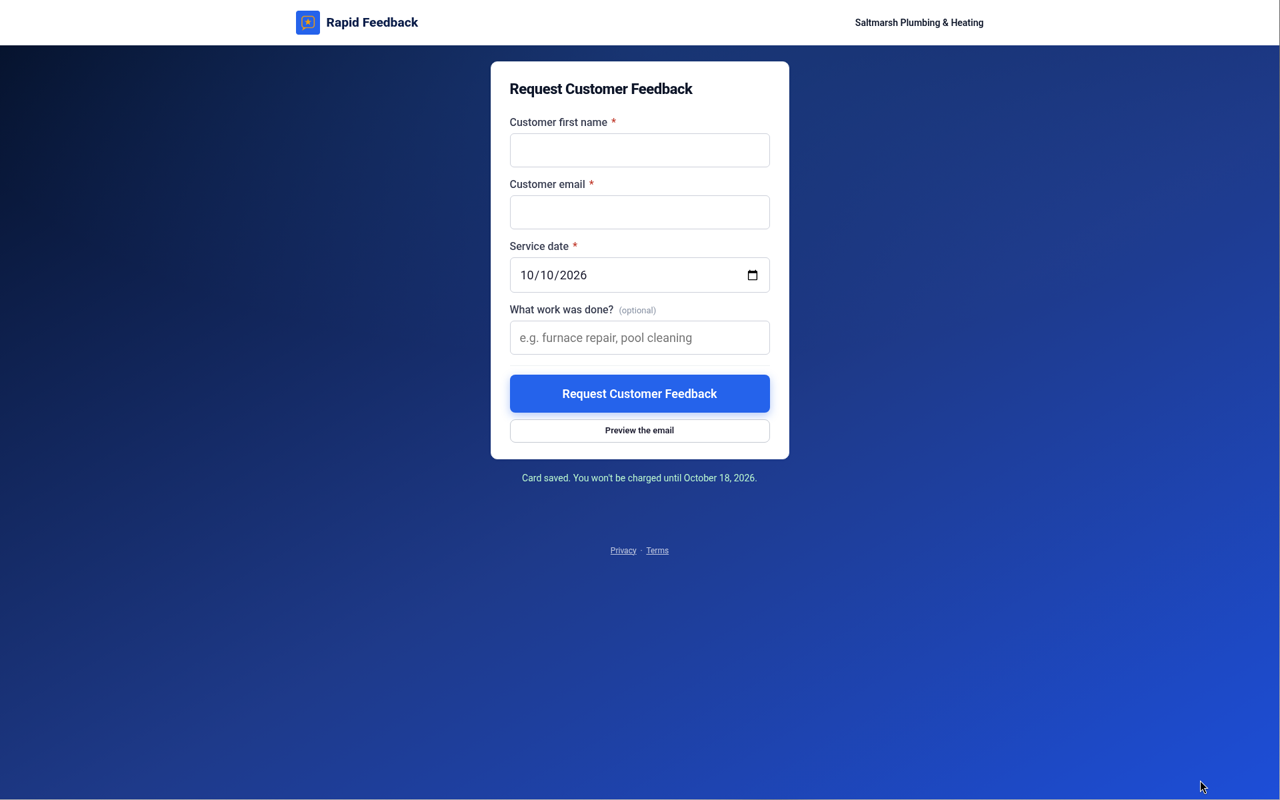
- Confirm. You're brought back to your page, which says "Card saved. You won't be charged until [date]."
What happens next
- Nothing changes until your trial ends. You keep all your free days.
- On the last day of your trial, Stripe charges your first month ($49 CAD / $35 USD). Then it's the same day each month.
- Stripe emails you a receipt each time. See Managing billing in Stripe.
- Our trial reminder emails stop, since you're all set.
Good to know
Changed your mind before the trial ends? Cancel in Stripe, and you won't be charged. You keep the rest of your free days. See Cancelling.